Saturday

How to Connect a Three-wire DC Sensor to a PLC

An application calls for a three-wire DC sensor to report to a PLC. How should they be connected together?  Check the input card of the PLC and find the voltage rating. Does it operate on DC voltage? Also determine whether the input needs to be sinking (NPN) or sourcing (PNP.) Look at the sensor and make sure the voltage rating and PNP / NPN type is the same. If there is a mismatch, refer to the manufacturer's instructions for both devices to determine compatibility.

If the PLC's input card is rated for DC voltage and it is a sinking (NPN) type input and also if the sensor operates on DC voltage in the same range and its output is sinking (NPN), then the two should be compatible. Connect the PLC to the power supply, but do not turn the power supply ON yet. Then connect the sensor's positive source voltage wire, which is normally brown, to the positive terminal of the power supply. Connect the negative or neutral sensor wire, normally blue, to the power supply as well, but on the negative terminal. Then connect the sensor's signal wire, normally black, to the PLC input card at the number address that you will assign as the sensor in the PLC program. When the sensor is activated, it will connect the PLC output to neutral or ground, which the PLC will interpret as a "true" condition and respond as programmed.

If the PLC's input card is rated for DC voltage and it is a sourcing (PNP) type input and also if the sensor operates on DC voltage in the same range and its output is sourcing (PNP), then the two should be compatible. Connect the PLC to the power supply, but do not turn the power supply ON yet. Then connect the sensor's positive source voltage wire, which is normally brown to the positive terminal of the power supply. Connect the negative or neutral sensor wire, normally blue, to the power supply as well, but on the negative terminal. Then connect the sensor's signal wire, normally black, to the PLC input card at the number address that you will assign as the sensor in the PLC program. When the sensor is activated, it will connect the PLC output to the positive terminal of the power supply, which the PLC will interpret as a "true" condition and respond as programmed.

Thursday

How to Detect Visitors in a Driveway Using Infrared Photoelectric Sensors

Infrared photoelectric sensors may be used to detect objects in a number of ways. Mounting the sender and the receiver across from each other is known as a through-beam configuration and provides the strongest beam. Retro-reflective mounting places the sender and the receiver on the same side and bounces the infrared beam off an object when it is in close enough proximity.  Diffuse proximity mounting uses the same layout as retro reflective, but also uses a reflector on the side opposite the photo eyes. Any of these three configurations may be used to set up a driveway monitoring system depending on what type of structures are adjacent to the driveway.

Evaluate the best location to mount the sensors. This may be a mailbox, a fence post, a brick building, a bridge, or whatever standing structure happens to be within range of the driveway. If you mount the photoelectric sensors in a through-beam configuration they do not need to be very close to the driveway, whereas the other two options will need to be much closer, depending on the type of photoelectric sensors used, like ten to fifteen feet.

Trace a route back to your home for burying the sensor wires, but don't put the wires in the ground yet. Instead, extend the wires back to the house above-the-ground and connect the photo eyes to the appropriate power source or to an external amplifier if the photoelectric system includes one. Connect the output of the sensors to a buzzer or bell with a noise that is distinctly different from the sound that your doorbell or telephone makes so that you can easily distinguish them. Many photoelectric amplifiers include a relay output, so connecting them to a buzzer should be as easy as connecting a mechanical switch. See the manufacturer's website for wiring diagrams.

Test the system using different types of cars and trucks and also people. Adjust the sensitivity of the photoelectric system to the optimum level and mount the photo eyes at the right height from the ground to hit the midsection of most vehicles. When everything is set correctly, bury the conduit containing the wires and do your best to conceal the photo eyes from view. This system will provide a reliable means for detecting guests before they are standing on your doorstep and could also be interfaced with a security camera or lights. The opportunities are unlimited.

Related products and information
Infrared photoelectric sensors for driveway applications
Infrared photoelectric amplifier for use with photoelectric sensors

Monday

How to Operate an Automatic Door Using Infrared Photoelectric Sensors

http://www.pantron.com/us/applications-doors.html
An automatic door is not complete without infrared photoelectric sensors to control it. Photo eyes provide a non-contact method to detect people or objects passing through the door and may be used in conjunction with a controller to open the door.

Choose a quality set of industrial infrared photoelectric sensors. It is imperative that sensors are used on an automatic door, not just to open the door, but to prevent the door from closing with a person or object underneath. Photoelectric sensors are ideal for this application because they do not require the door to make contact with the subject to detect their presence. Ultimately, the manufacturer should provide wiring diagrams and installation instructions to help interface sensors or other input devices with the door controller, but the following instructions should give you a general idea of how they should be used.

Mount the photoelectric sensors in a through-beam configuration. This will save you a lot of trouble later. Do not try to mount the photo eyes on one side and use a reflector on the other because you will find yourself constantly cleaning the reflector. Infrared photoelectric sensors provide a stronger and much more reliable beam when they are mounted across from each other. If the photoelectric system that you are using includes an external amplifier, compare the voltage ratings for the photoelectric system and the PLC. If they are a match, connect the output from the amplifier to the door's PLC input card.

Configure the photoelectric system to output all the time, but then take away that output when the photo eyes detect something. This is commonly listed by the manufacturer as a feature known as "Normally Closed", "Light Operate", or "Make Switching." Program the PLC to interpret an output from the photoelectric system as a "false" condition and the absence of that output as a "true" condition. When the PLC reads a "true" condition, it should open the door, and when the condition returns to "false" it should close the door. This does two things, it opens the door when an object is detected and also if the photoelectric system experiences a fault or loss of power.


Related products and information
Infrared photoelectric sensors for automatic door applications
Infrared photoelectric amplifier for use with photoelectric sensors
Automatic door applications webpage

Saturday

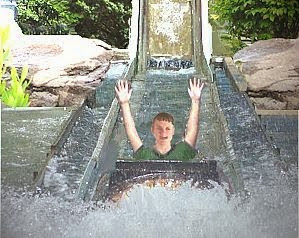
How to Detect Boats in a Log Flume Ride

http://www.pantron.com/us/pantron-complete-set.html
It’s time for yearly maintenance and you need a reliable solution to replace the sensors in your log flume attraction. Try industrial infrared photoelectric sensors to keep your log flume running trouble-free year round.

Purchase an industrial infrared photoelectric system. Check the ratings on the photo eyes and be sure they have an IP67 rating or better. Also check their range to be sure it is more than adequate to cover the entire distance across the river. If the photo eyes need to operate underwater, choose the most powerful combination of transmitter and receiver available.

http://www.pantron.com/us/pantron-complete-set.html
Mount the photo eyes in a through-beam configuration for the best performance. Do not rely on reflectors because they will cause problems as they get dirty. If the photo eyes will spend any length of time underwater, it is a good idea to purchase the hard-wired cable version instead of a quick-disconnect type. If you do use quick-disconnect sensors, be sure to squirt dielectric grease into the connectors before attaching them together. This will help keep the connections dry and the pins free from corrosion.

Ask the manufacturer or distributor of photoelectric sensors for a demo set to test in your ride application before you buy. Try several sets from different companies side-by-side to determine which ones work the best. Follow a strict maintenance schedule and replace the photo eyes at least once a year. Your visitors will appreciate the extended ride uptime that quality sensors provide.

Related products and information
Super high-powered infrared photoelectric sensors for amusement parks
New infrared photoelectric amplifier for use with photoelectric sensors

Wednesday

How to Equip Amusement Rides with the Right Sensors


The best types of sensors in an amusement park are the ones you don’t think about until maintenance time. Find the most reliable products and they will save you money and headaches all year long.

Evaluate each amusement ride individually. What type of sensing solution is currently in place? How well does it work? If it is possible to replace contact switches, otherwise known as limit switches, with a non-contact solution, it will greatly improve the uptime for that ride. Contact switches with moving parts wear out quickly, whereas non-contact sensors only need to be replaced in the event that they are destroyed by collision, Mother Nature, or extremely rough handling. Consult with a manufacturer or distributor of industrial sensors and ask them for assistance with your application. Any sensor company who is interested in doing business with you should be able to support the products and answer your questions.

If a new sensor is what you desire, the next decision is which type of sensing technology to implement. There are many sensors to choose from, but in the amusement industry, the top picks are infrared photoelectric sensors and inductive proximity sensors. A transmitter photo eye projects an infrared beam of light, which is invisible to the naked human eye. A receiver photo eye reports when it sees the beam and when it doesn’t and will pass a signal to the appropriate controller. Rides that require objects to be detected from a distance or in harsh conditions, like log flume rides, river rapids, and dark, smoky theme rides are great places for photoelectric sensors.

Try an inductive proximity sensor in areas where metal objects must be detected at close range. These sensors will only detect metal and their sensing distance is limited, but they are extremely tough and can take a beating. Rides like roller coasters, where the sensor may be mounted on the track and detect the metal in the train are good applications for inductive proximity sensors. Inductive proximity sensors are excellent replacements for limit switches.

Develop a routine maintenance schedule and replace all sensors in the amusement park at least once a year. This will ensure proper function and will keep the rides operating at their peak performance. Visitors will appreciate the ride availability and you will notice improved uptime and fewer replacements throughout the year.

Related products and information
Super high-powered infrared photoelectric sensors for amusement parks
New infrared photoelectric amplifier for use with photoelectric sensors